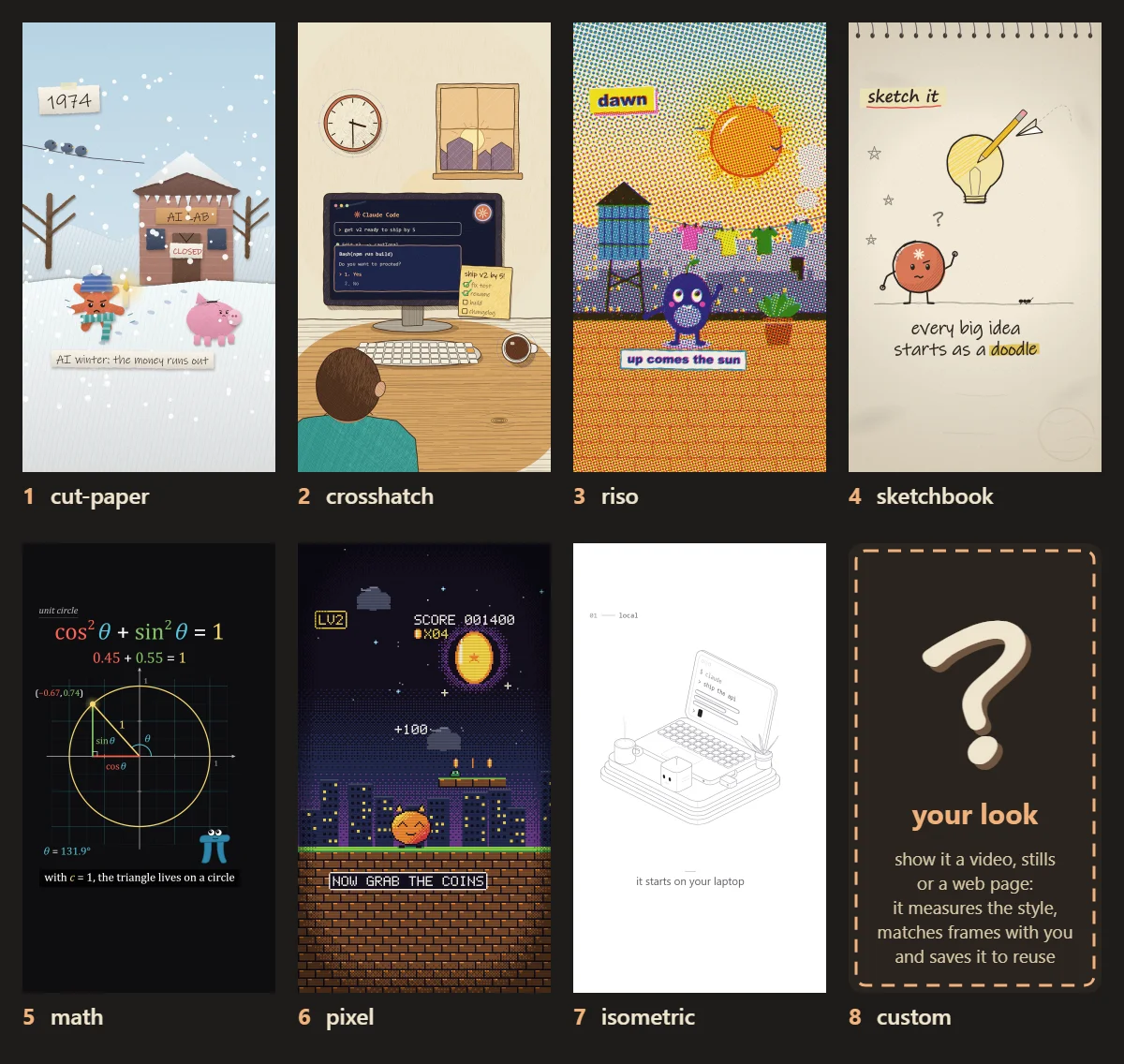
Tap a card to jump to that part. I brings you back here from any slide.
01
How it works
The jargon you'll hear all the time
LLM
Tokens
Context
Memory
Tools
Agent
Harness
An LLM predicts the next word
For a paella,context: what was already therethe best wine iswhat you typewhitethe most likely word
white58 %
rosé21 %
red14 %
cava5 %
And round again: "white" joins the context and the model predicts the next one. Word by word, that's how it writes a whole answer.
It has read almost the whole internet
These models are trained on a huge amount of text. That's where what it knows comes from.
It doesn't know what happened today
Anything after its training, it doesn't know, unless it looks it up or you give it.
🧠 It only writes
On its own, an LLM can't open a file, send an email or touch Canva.
Actually, it predicts tokens
For a paella, the best wine is white
10 tokens · every model splits its own way; this split is an example
🧩 One token, one chunk
A short word is one token; a long or rare one gets split into several. In English, a word averages about 1.3 tokens. Images are counted in tokens too: a screenshot is about 1,500.
📏 Context is measured in tokens
Today's models have windows of 200,000 to a million tokens: hundreds to thousands of pages. Anything beyond that doesn't fit.
💶 And you pay in tokens
The API charges per million tokens, in and out. Claude or ChatGPT plans have usage limits that are also spent in tokens: a full context costs more on every message.
Is it just a stochastic parrot?
The critique (2021)
A paper by Emily Bender, Timnit Gebru and other researchers: an LLM repeats patterns from what it read, rolling dice (stochastic), without understanding what it says.
Emergent abilities (2022)
As models grew, they started doing things nobody trained them for: adding long numbers, reasoning step by step, explaining a joke. They don't arrive bit by bit: they show up suddenly past a certain size. It's debated: part of that jump depends on how you measure it.
In practice
Neither parrot nor person. It understands enough to work with you, but it doesn't know when it doesn't know. Whatever it hands you, check it.
Inside, it's no longer just predicting words
💭 It reasons before answering
paella → seafood and rice → needs acidity → white
Chain of thought: the model writes out its steps before the answer. Reasoning models are trained with reinforcement learning: they're rewarded for solving the problem, not for imitating text.
🧩 Mixture of experts
Mixture of experts: the model is split into many specialists and, for each word, a router wakes up only a few. That way it can be huge without being slow. Used by DeepSeek, Mixtral and many of today's models.
🔬 What you see when you open it up
Dallas → Texas → Austin
Anthropic looks at what lights up inside Claude. For "the capital of the state where Dallas is" it goes through Texas before saying Austin. And in a poem it picks the rhyme before writing the line: it plans.
On the outside it still comes out word by word. Inside there are steps, specialists and plans.
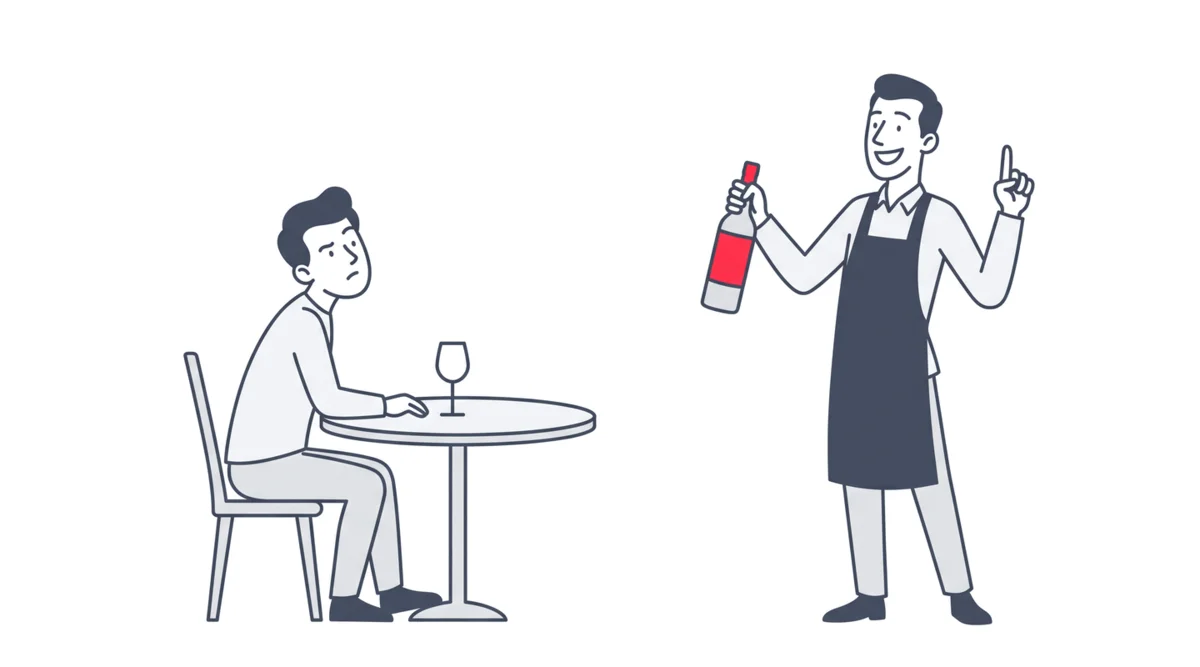
A hallucination is an overconfident waiter
It never says "I don't know"
You ask about a wine they don't have and it recommends one that sounds perfect. Just as sure as if it were true.
The cure: give it the facts
With the wine list in front of it (the context), it recommends what's there. Always check numbers, names and dates.
What you typethe prompt, the brief, the corrections
What you give itfiles, screenshots, the Excel with the numbers
What it finds along the waysearches, what each tool returns
It only sees what's on the desk
If it isn't in the context, it doesn't exist for the model in this conversation.
The desk has a size limit
When it fills up, the oldest part gets summarised (compressed) or dropped. A new chat per task works better than one endless chat.
Memory: the model remembers nothing
Model only
💬 MondayBodegas Alcotán doesn't like pink.
🧽new chat
💬 TuesdayWhich client? What colours do they like? 🤷
With memory
💬 MondayBodegas Alcotán doesn't like pink.
📄memory.md
💬 TuesdayProposal in burgundy and cream, no pink ✅
Every chat starts blank
The model doesn't learn from your conversations. It doesn't know about yesterday unless someone puts it back on the desk.
The harness supplies the memory
Projects, Claude or ChatGPT memory, standing instructions, an agent's files: before each chat, it puts them in the context. Change the file and you change what it "remembers".
Be strategic about what always loads
Instructions, memory, every skill and every MCP take up desk space before you type anything. Forty mini-skills fill the context from the start: the model loses focus and you burn more usage. Better a few skills, well written.
Shared memory: one Obsidian for the whole team
Team · memory
📁 clients
📄 bodegas-alcotan.md
📄 el-sifon-bar.md
📁 brand-and-tone
📄 how-we-write.md
📁 learnings
📄 what-worked-in-reels.md
📁 decisions
📄 2026-11-tools.md
👥 the team⇄🤖 the agent⇄ GitHub
📝 A folder of notes
Obsidian is a notes app, free for businesses too. Underneath, it's text files in a folder: exactly what an agent can read and write.
🔄 The agent syncs it
When it starts, it pulls the latest from GitHub; when it's done, it pushes your changes. Or just ask: "sync the memory".
🕰️ Nothing gets lost
Every change is saved with a name and a date. "Put the Alcotán note back how it was on Tuesday", and it's back.
🧩 Two repos
team-memory: the notes, they go straight in. team-skills: skills and instructions; the agent proposes the change and a lead approves it before it reaches everyone.
The team's memory, not each chat's. "Alcotán doesn't like pink" gets written down once, and everyone's agent knows it.
🔧 Tools: the agent's hands
🧠 the model asksSearch the web: seafood paella wine pairing
→
🤖 the harness runs itDoes the actual search and reads 3 pages
→
📏 back into the context"Whites with acidity: Albariño, Verdejo…"
→
🧠 the model answersAn Albariño. And it tells you where it got that.
What a tool is
An action with a name and instructions for use: read a file, search the web, run a command, create a design in Canva, open a page.
Where they come from
Some come with the harness (files, terminal, web). Others get connected separately: an MCP per app, a CLI, the browser. More in part 02.
The model never touches anything
It only writes the request. The harness carries it out, and asks your permission before anything serious.
An agent is an LLM with tools, in a loop
🧠LLM · thinks
+
🔧tools
+
🔁loop
=
🤖agent · does
🧠 Thinkswhat's needed now?
→
🔧 Uses a toolopens, searches, writes, publishes
→
👀 Checks the resultdid it work?
↺
Example: monthly report
Reads the numbers from Metricool, writes the takeaways, builds the PDF and drafts the email. Each step is one turn of the loop.
You decide when it stops
Before publishing or sending anything, the agent stops and asks you.
All together: that's a harness
🤖 harness · Claude Code, Codex, Cowork…
🧠
Modelthinks and writes
📏
Contextthe desk
📄
Memoryinstructions and files
📚
Skillsyour recipes
🔧
Toolsfiles, web, MCP, CLI
🔁
Loopthink, act, check
🔐
Permissionsstops and asks
The model is just the piece in the middle. Everything else comes from the harness, and that's what turns a chat into an agent that gets work done.
What the model doesn't know, the harness gives it
Your clients, your brand, your rates and last month's numbers weren't in its training. Each piece of the harness is a way to give it that.
📏 context · one-offsUploadThe brief as a PDF, the Excel from Metricool, the product photo.
📄 memory · the usualProjectBrand guide, tone and client notes, saved once.
🔧 tool · live dataConnectAn MCP for Metricool, Drive or Canva: reads today's data.
🔧 tool · recent newsSearchWeb search or deep research for what happened since.
If you don't give it, it makes it up
A model without the facts doesn't say "I don't know": it fills the gap with something plausible, like the overconfident waiter. With the facts in front of it, it gets far less wrong.
02
What an agent can touch
The agent's hands. You just need to know the words and what to look for.
Each app publishes its MCP once and any compatible agent can use it.
What to search for
"app name MCP". If there's an official one, start there.
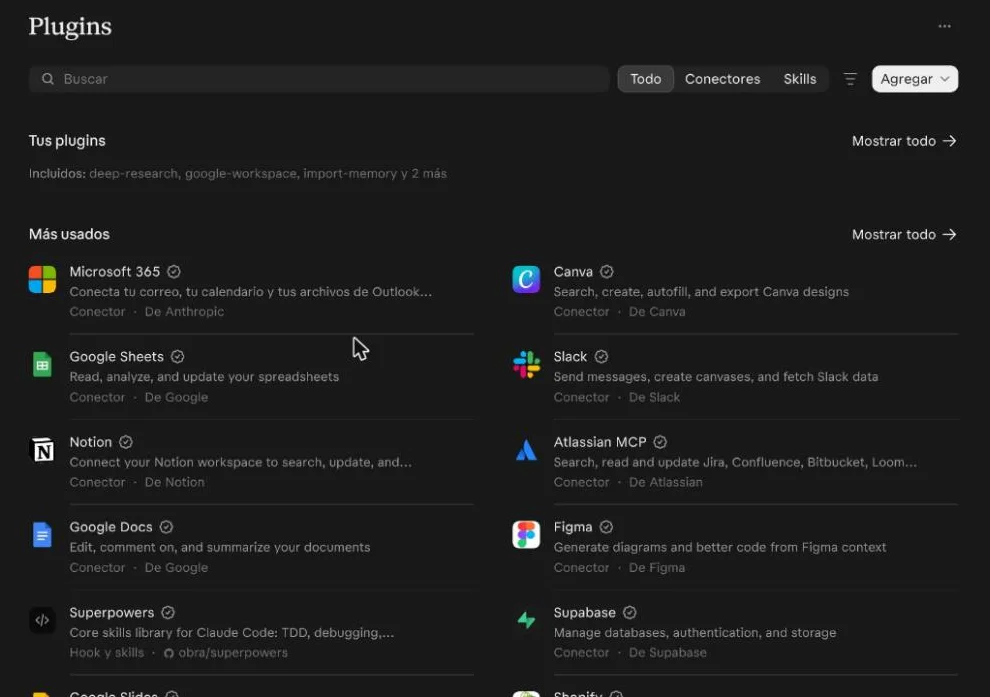
Adding MCPs: Claude, for example
claude.ai · Plugins · connectors and skills
Plugins, in the left-hand menu.
Search for the app: Canva, Figma, Notion, Google Docs.
Connect and sign in with your account for that app.
Done: "make me a Canva presentation from this".
CLI: a program you use by typing
ffmpegthe program-i reel.mp4the video-vf subtitles=subs.srtburns in the subtitlesfinal.mp4the result
It has no buttons
You drive it with a line of text. Hard for a person; for an agent, it's the easiest way.
You don't type it
You ask "add subtitles to the reel" and the agent writes the line.
Free and local
ffmpeg runs on your computer, with no subscription and nothing uploaded anywhere.
API: talking to the app directly
GETgive me/postswhat?client=alcotan&month=11whose and when
They've been around forever
Almost every serious app has one: Meta, Google, Shopify, Metricool. It's the same app without screens: you ask for data or actions and it replies with raw data.
An agent uses them directly
You give it the docs and a key, and the agent writes the requests. Handy exactly when the app has no MCP or CLI.
MCP, CLI and API are family
Many MCPs and CLIs are, underneath, an API with instructions for the agent. If there's an MCP, that's easiest; if not, the API.
The key is a password
One per tool, with only the permissions it needs, never pasted into a chat or a document. And on pay-as-you-go tools like fal or ElevenLabs, set a spending limit.
API key: a key with your name (and your card) on it
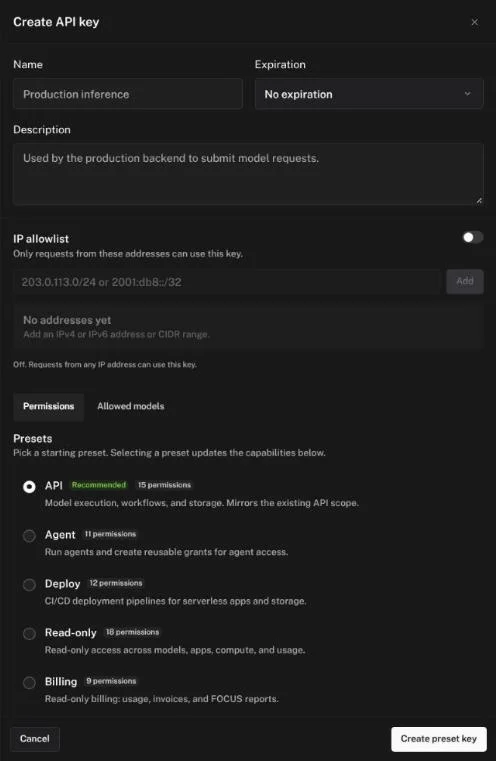
fal → Settings → API Keys → Add key
FAL_KEY=7c1e9a42-••••-••••-••••-••••••••:a91c…
🔑 What it is
A long password that tells the API who's calling. Whoever has it uses your account… and pays with it.
🏷️ A clear name
"claude-videos-team", not "key 1". So you know which one to delete if something goes wrong.
🎚️ Minimum permissions
fal offers templates: generate only, read only, billing… Pick the smallest one that works. Add an expiry date if it's for a one-off.
👁️ You only see it once
When you create it, copy it to your password manager or the agent's .env file. If it leaks: delete it and make a new one, two clicks.
Never in a chat, an email or a Canva. Ask your agent: "open the .env file so I can add the fal key". It opens on your computer, you paste the key yourself, save and close. The agent uses it without it ever showing up in the chat.
GitHub without fear
What it is
A Drive for code, almost always public. It's where the skills and MCPs that people and brands publish live.
What to look at
The README (the front page that explains what it does), the stars (how many people use it) and the date of the last change.
Only install from people you trust
A skill or an MCP acts with your permissions. A known brand, lots of people using it, or someone you trust checks it.
Find the skill or MCP: the your agent's directory (Customize, in Claude), github.com/anthropics/skills, skills.sh or the official MCP registry.
Copy the link to the repo.
Ask your agent:
Install the skill from this link and tell me
what it does before you use it:
https://github.com/...
Inside a GitHub repo
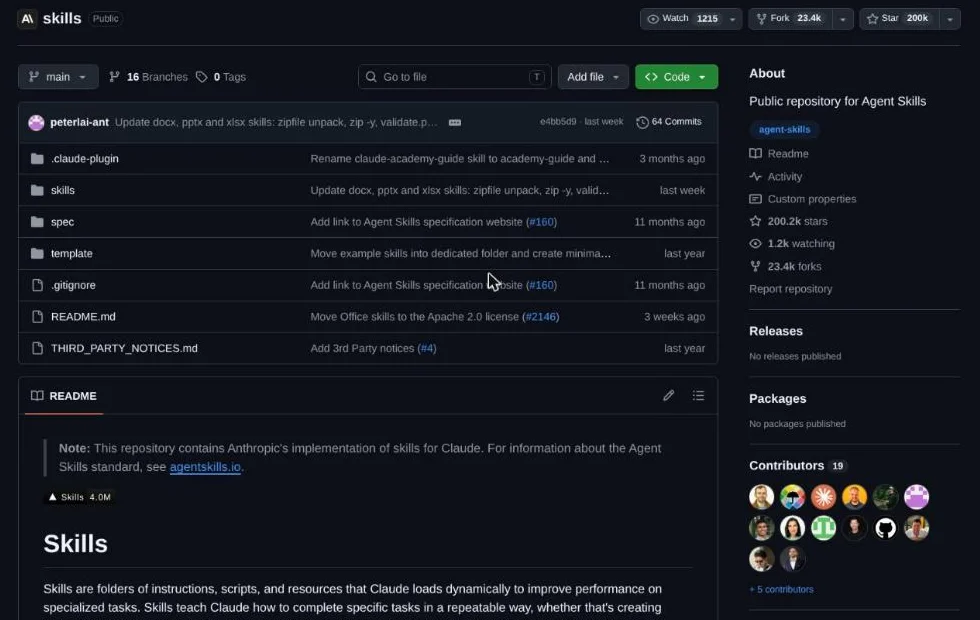
github.com · anthropics/skills
Folders, like in Drive
skills holds the skills; each one is a folder with its instructions.
200,000 stars
Top right: how many people have starred it. It's the star rating of GitHub.
The README, below
The repo's front page: what it is, how to install it. If it doesn't make sense, paste it into your AI chat.
Useful skills from GitHub: so it doesn't look AI-made
Left alone, an agent always designs the same way: purple gradient, cards everywhere, the same font. A design skill gives it taste, like a style guide that lists what it must never do.
frontend-design ★ 200k
Anthropic's, the first one to get popular: pick an aesthetic direction and commit to it. It's in the official skills repo.
Lots of stars and recent changes are a good sign. Even so, a skill can run commands on your computer: read it, or ask your agent to review it, before installing. Watch out for copies with the same name.
A few, when you need them
They take up a lot of context: turn them on for design sessions, not all the time. And what improves the result most is still giving it your brand: colours, fonts and references.
Browser agents: the agent uses your browser
What it does
An extension or AI browser that lets the agent see the page, click, type and fill in forms in your browser, with your logged-in sessions. Examples: Claude in Chrome, ChatGPT Atlas, Gemini in Chrome.
What for
For things with no MCP or CLI: a dashboard with no API, TripAdvisor, a supplier's website. It can work across several tabs and repeat tasks on a schedule.
What you need
For Claude in Chrome: a paid Claude plan (Pro or higher, or Team) and Google Chrome. It doesn't work in Edge, Brave or on mobile.
The last resort, not the first
It's slower and more fragile than an MCP, and Anthropic warns it's still risky. If there's an MCP, use that instead.
The brain, à la carte. One account and one API for hundreds of models: Claude, GPT, Gemini and the open ones. Pay as you go and switch models without changing anything else.
Only half free
The program is free; the brain isn't. You pay for the model: your Claude or ChatGPT subscription, or an API. With OpenRouter you pick model and price from a list.
Expert level
They can reach everything you give them. Setup is harder and easy to get wrong.
They change every month. To compare: LMArena, where people vote blind, and Artificial Analysis, with price and speed. Image and video in depth in parts 05 and 06.
Canva has templates with fields that fill themselves (Data autofill). They only come with the Enterprise and Education plans, so we skip them.
The other way: a block library
One normal Canva design with one page per block type: cover, divider, post, story, closing. Anything that changes gets a {{field}} marker. It works for a client report, a proposal or a content plan.
Post forfixed text{{date_title}}the agent fills it{{img1}}image slot (alt text)
The block library, inside
{{img1}}
{{month}}{{client}}
Block 1 · cover · {{month}} and {{client}}
{{title}}
Block 2 · divider · {{title}}
{{title}}
{{img1}}
{{img2}}
{{img3}}
{{img4}}
Block 3 · post · text and four image slots
Block 4 · closing · fixed text only
A content plan might also need a calendar and a story block. The agent copies the blocks and fills them as many times as needed.
How the agent builds a content plan
You give it the data: in the chat, a Word file, an Excel sheet or a folder of images.
It makes the plan: which block goes on each page, with what text. pause: create it?
It copies the pages from the library into a new design, repeating any it needs.
It fills in text and images and fixes any text that spills out of its box. pause: save it?
It leaves the design in Canva, editable like any other.
Font and colors
The library sets them. Change the library and every new document picks it up, but existing ones don't.
The agent builds, you polish
The result isn't a locked PDF: it's a Canva design your team keeps editing by hand.
Add a new type: from content plan to client report
Gather 1 or 2 real reports you've already delivered: a PDF or a Canva link.
The agent suggests the blocks: which pages repeat and what changes on each.
You build the library in Canva: copy a real report, keep one page per block and swap what changes for {{field}}.
The agent writes the rest (sample data, rules) and tests it with you.
I want to add a new type to
canva-document: monthly client report.
Here are two real reports as examples:
~/Downloads/october-report.pdf and this
Canva link: https://...
Follow NEW-TYPE.md and stop after each
step so I can review it.
Rules that make the library work
These are our own conventions, built around how an agent edits Canva. A skill can follow them and walk you through each one when you add a new type.
One page per block
With its name as the page title. Keep blocks few: if two pages only differ in one text, they're one block.
Simple markers
{{date_title}}: lowercase, no accents, underscores.
Images by alt text
Slots with alt text {{img1}}, {{img2}}. The agent can't find Canva shapes, but it can find images.
Lists: as many rows as the max
A calendar of up to 24 posts gets 24 numbered rows, {{day_1}} … {{day_24}}. The agent fills the ones it uses and deletes the rest.
Boxes at their final size
Long text makes the box grow downwards, never sideways.
Few elements
A background made of 40 rectangles slows down every edit. Anything fixed and complex goes in as a single image.
What other documents you can make
productionScriptShoot script: one page per piece and scene.
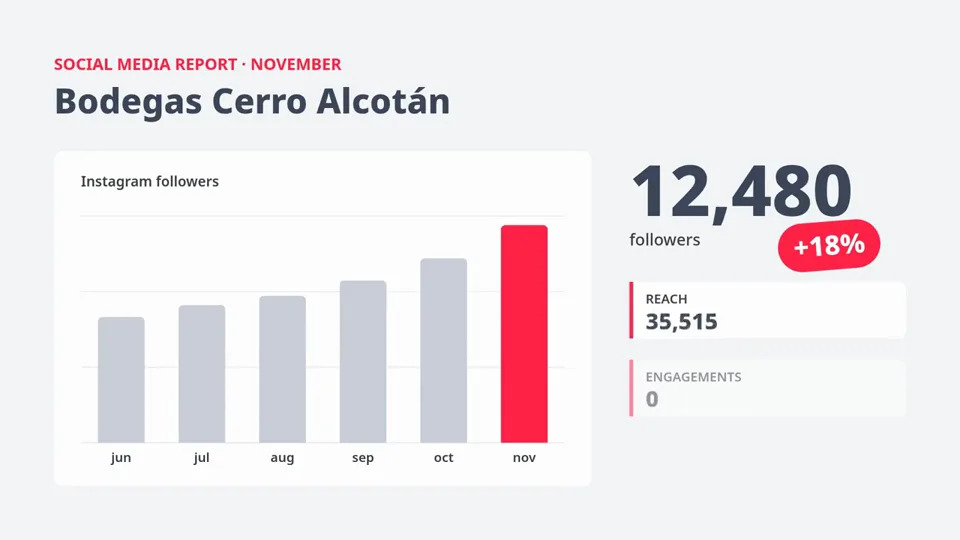
accountsReportMonthly social media report with numbers from Metricool.
salesProposalA proposal or quote for a new client.
strategyStrategySocial media strategy: pillars, formats, calendar.
The rule: if a document comes back every month with the same layout, it's a candidate.
A deck can also be a website.
This very deck is a single HTML file: it opens in any browser, has videos that play, and an agent (Claude Code) wrote it. For clients, it exports to PDF or PowerPoint.
This deck, inside
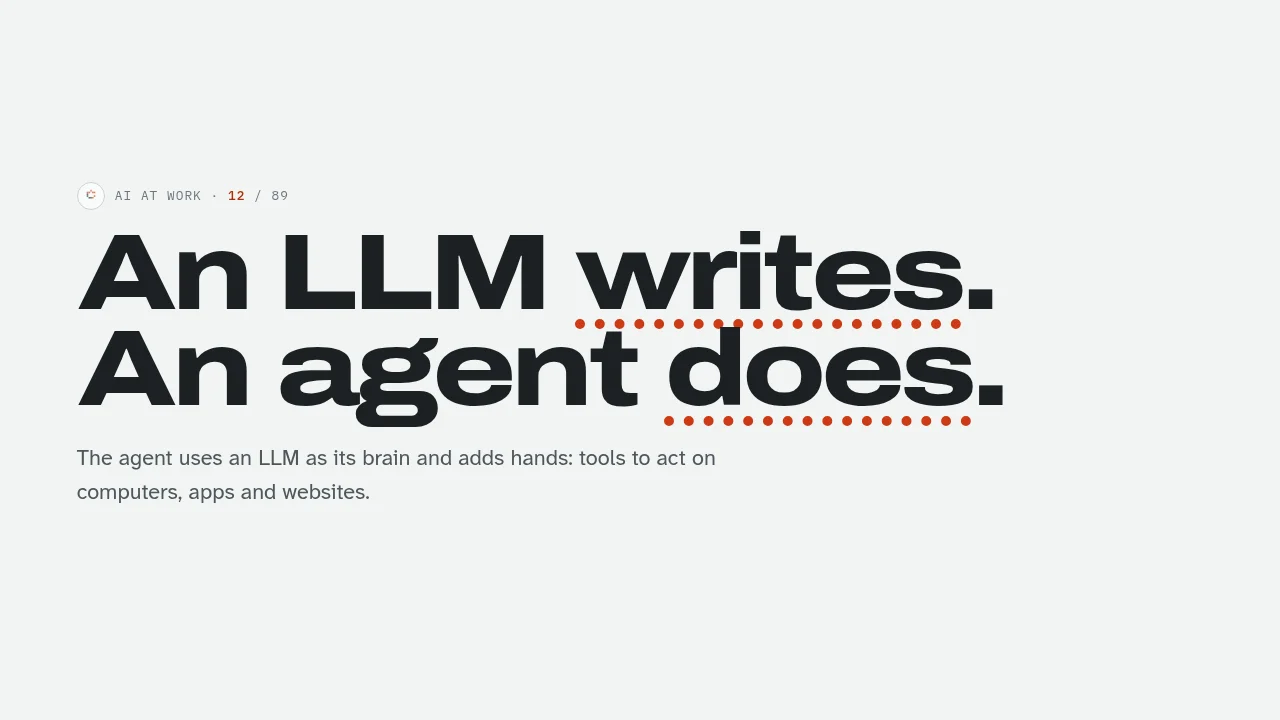
<section class="slide statement">
  <h2>An LLM <em>writes</em>.<br>
      An agent <em>does</em>.</h2>
  <p>The agent uses an LLM as
     its brain and adds hands:
     tools to act on computers,
     apps and websites.</p>
</section>
Eight lines of text · one slide
The design lives apart, in a template: colors, fonts and slide types. Each new slide only says which type it is and what text it holds.
An HTML deck, step by step
A template with the brand identity, made once: colors, fonts and slide types. It can come from a Canva or a Figma file.
You ask for it with the content: a brief, some notes, an Excel sheet.
You review it in the browser and fix things in the chat: "this slide is too crowded".
You export it to PDF or PowerPoint
Make me a 10-slide HTML deck:
the proposal for Bodegas Cerro
Alcotán. Use our template
(template.html). The content
is in brief.docx.
Once I approve it, export it
to PDF and PowerPoint.
From HTML to PDF and PowerPoint
Output
How
What the client gets
PDF
The agent opens the deck in Chrome and saves each slide as a page
Same as the web version; videos become still images
PowerPoint as images
One full-screen screenshot per slide
Looks the same, but the text can't be edited
Editable PowerPoint
The agent rebuilds each slide with real text boxes (a PowerPoint skill)
Editable in PowerPoint, Google Slides or Keynote; the design gets a bit simpler
Canva doesn't import HTML: go through the editable PowerPoint (best) or the PDF
A Canva design the team polishes by hand
HTML when…
It's a one-off, has video, data or animation, or gets sent as a link.
Canva when…
The team will touch it up by hand every month with the same layout.
A newsletter is a website with 2005 rules.
Email doesn't understand modern web design. So it's better not to write a newsletter by hand: you describe it, and a tool translates it into what each inbox understands.
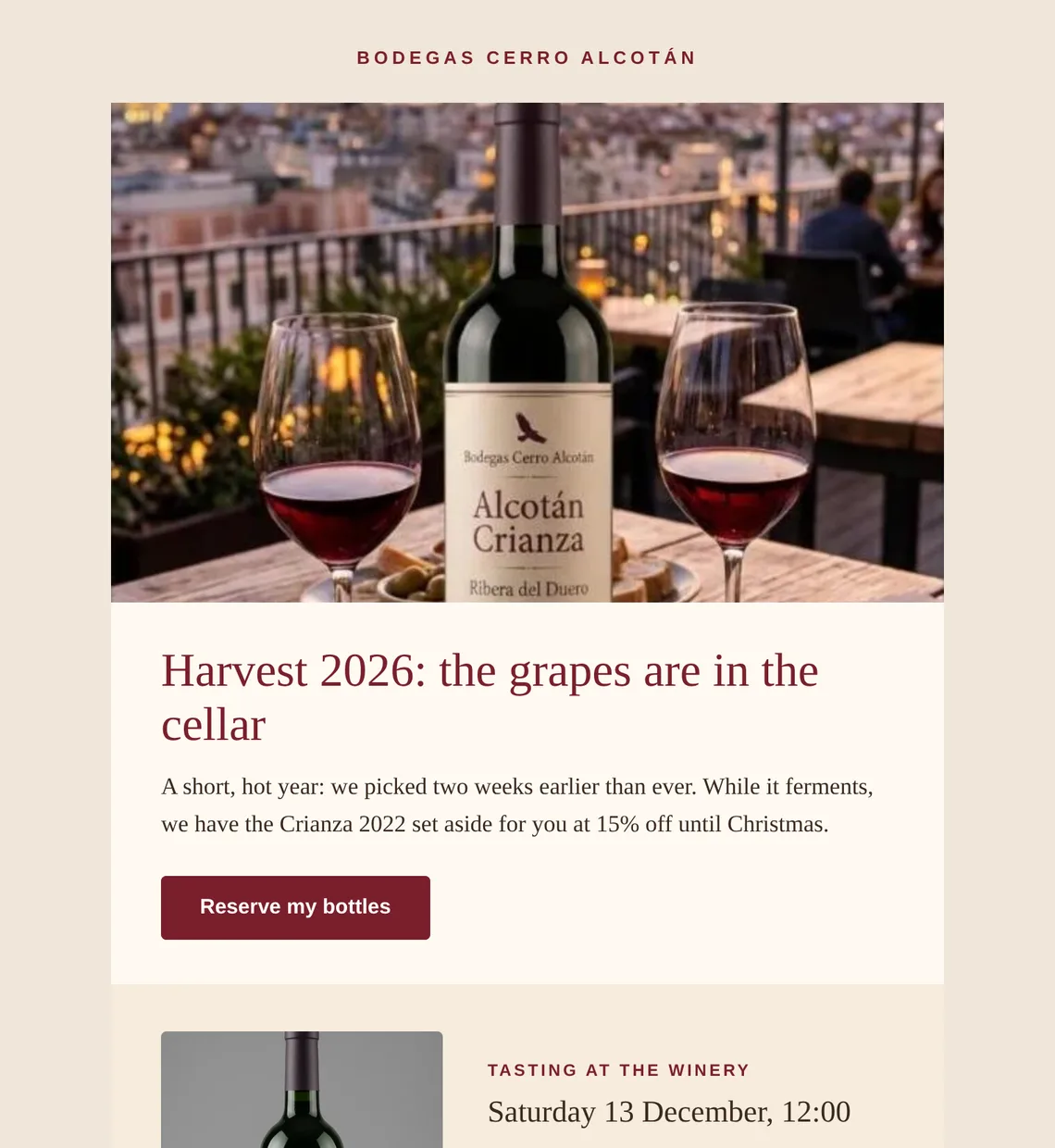
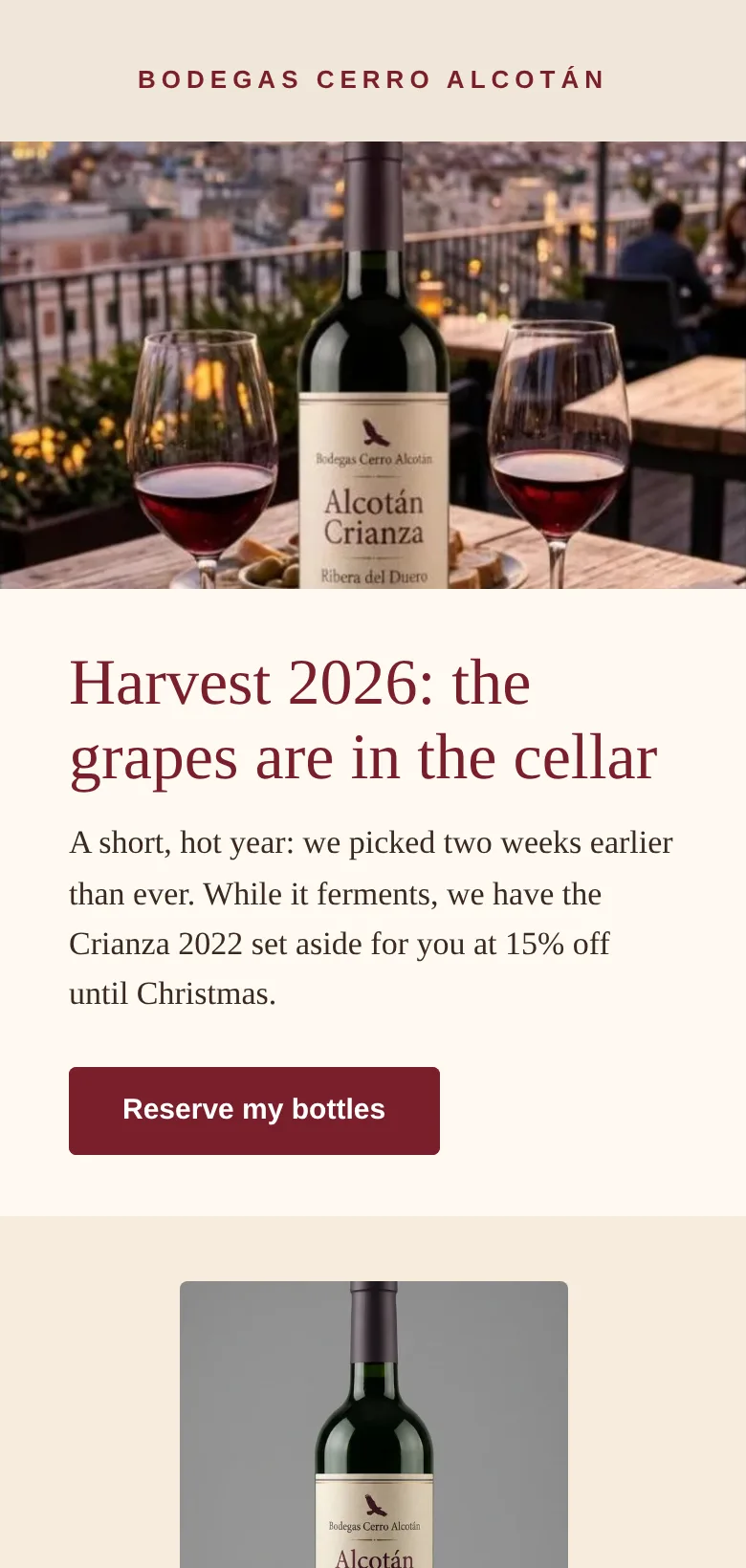
A sample newsletter, made today
Desktop · 600 pxPhone · stacked
Inside: 42 lines that become 21 tables
<mj-section background-color="#f6ecdc">
  <mj-column width="42%">
    <mj-image src="bottle.jpg"
      alt="Alcotán Crianza 2022" />
  </mj-column>
  <mj-column width="58%">
    <mj-text>TASTING AT THE WINERY</mj-text>
    <mj-text>Saturday 13 December</mj-text>
    <mj-button href="...">Sign me up
    </mj-button>
  </mj-column>
</mj-section>
what the agent writes42lines of MJML, a language made for email.
what the reader gets15 KBof HTML with 21 tables, which even Outlook understands.
MJML isn't new or paid: it's an open language Mailjet created in 2015, and today it's the standard for building emails. Each block (header, photo, two columns, button, footer) is a tag, and MJML writes the tables.
The agent makes sure the email rules are followed
It's no extra work: MJML follows these rules on its own, and the agent checks them before handing you the newsletter.
600 px wide MJML does it
On a phone, the columns stack on their own.
Outlook on Windows MJML does it
It draws email with Word's engine. MJML builds it with tables so it doesn't break.
Gmail clips at 102 KB agent checks
Anything past that hides behind a "View entire message". It measures the size.
Text as text agent checks
If it's all one image, many inboxes block it. The agent keeps the text as real text.
Dark mode agent checks
Some apps flip the colors. The agent checks logos and contrast.
Check the test send you
Open the test email in Gmail, Outlook and on an iPhone, and give it the OK.
From Figma to the inbox
You design in Figma at 600 px, in blocks: header, photo, two columns, button, footer.
The agent reads the design with the Figma MCP: sizes, colors, text and images.
It writes the MJML, turns it into HTML and shows you how it looks on desktop and phone.
It uploads it to Brevo or Mailchimp as a template, and you send it from there.
Turn this Figma design into a
newsletter: https://figma.com/design/...
Use MJML, 600 px, with images
as JPG and real text, not images.
Show me a desktop screenshot
and a phone one before uploading
it to Brevo as a template.
📮 To send: Brevo is free up to 300 emails a day, with its logo in the footer.
05
Image
From scratch, from references, and editing what you already have.
From scratch
With references
Editing
Platforms
Three different jobs with images
From scratch
You describe the image and the model paints it. Good for ideas, backgrounds, moodboards.
From references
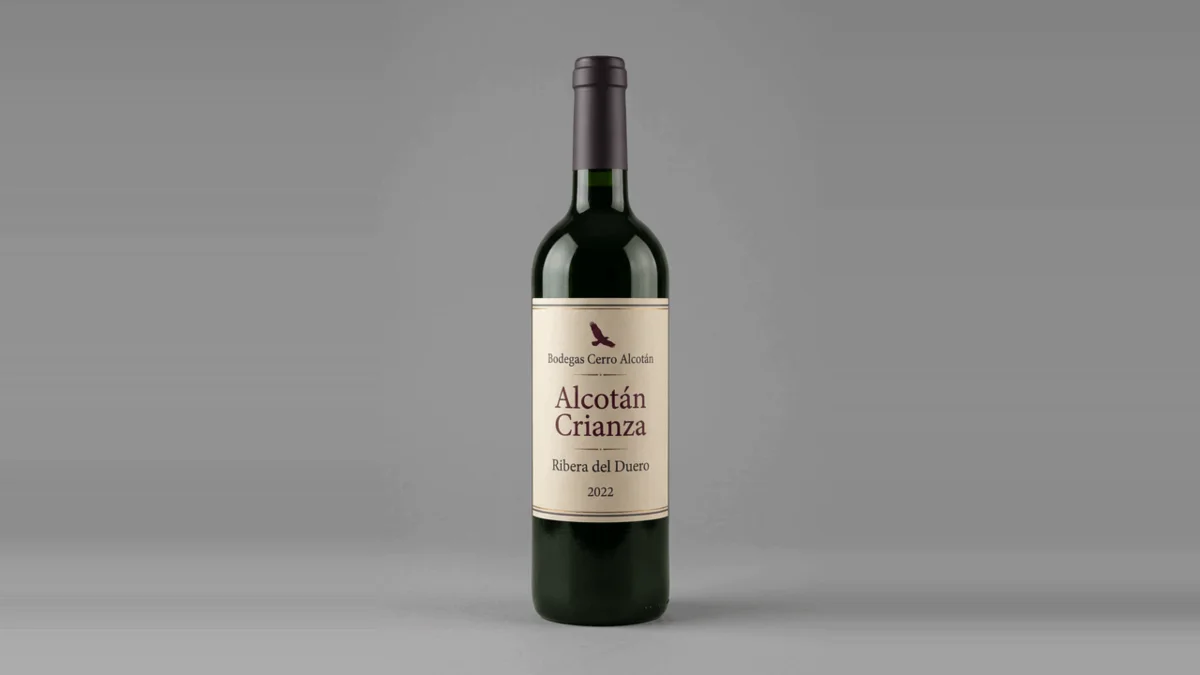
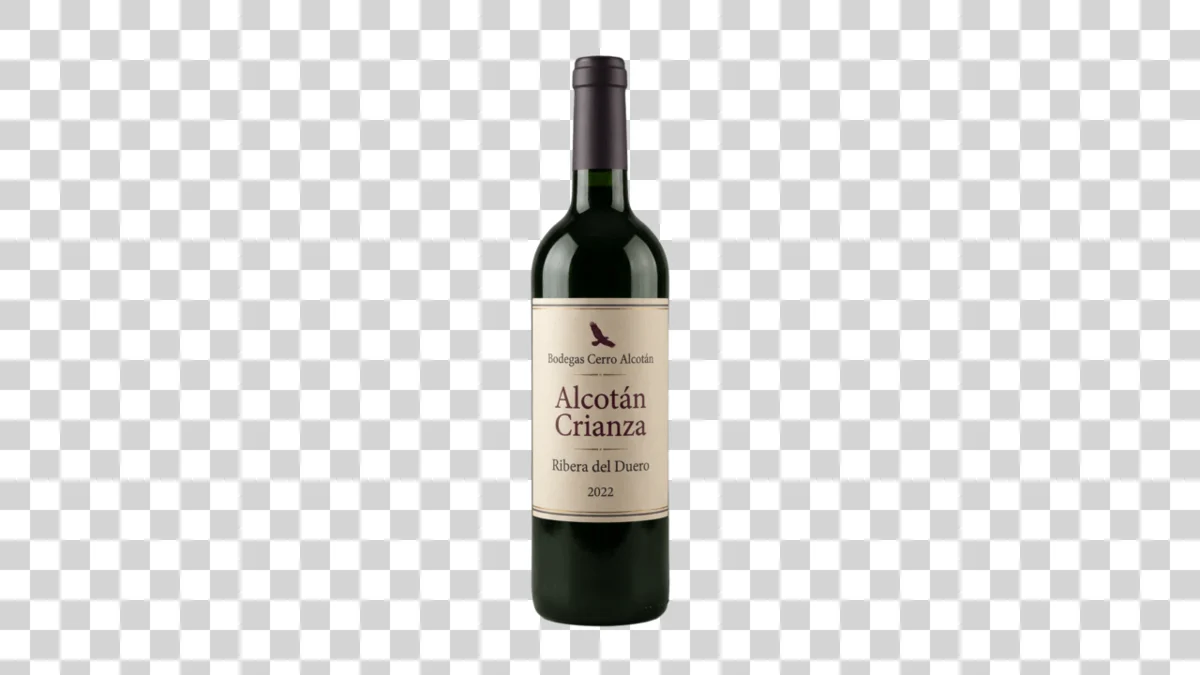
You give it the real photo of the product, the person or the style, and it keeps them the same in every image. This is the one you'll use most for real brands.
Editing
Change the background, remove an object, extend the frame (outpainting), raise the resolution (upscaling).
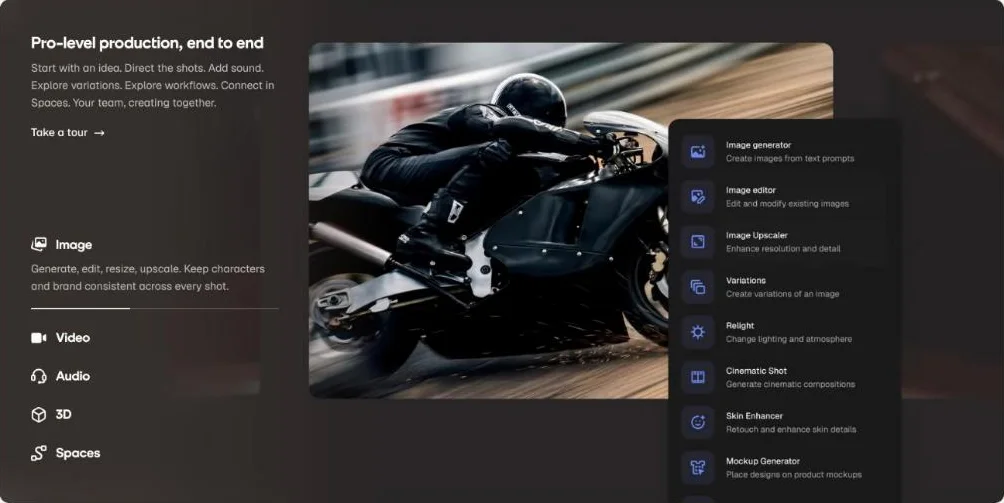
A model paints the pixels. A platform rents you many models with one login and one balance.
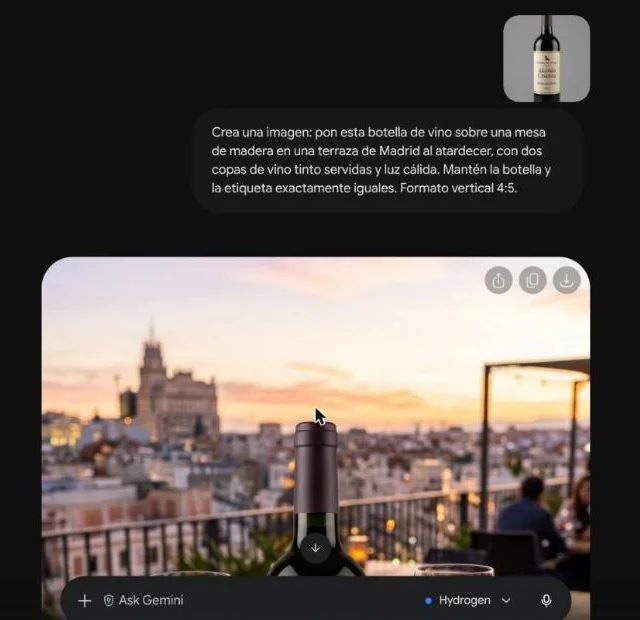
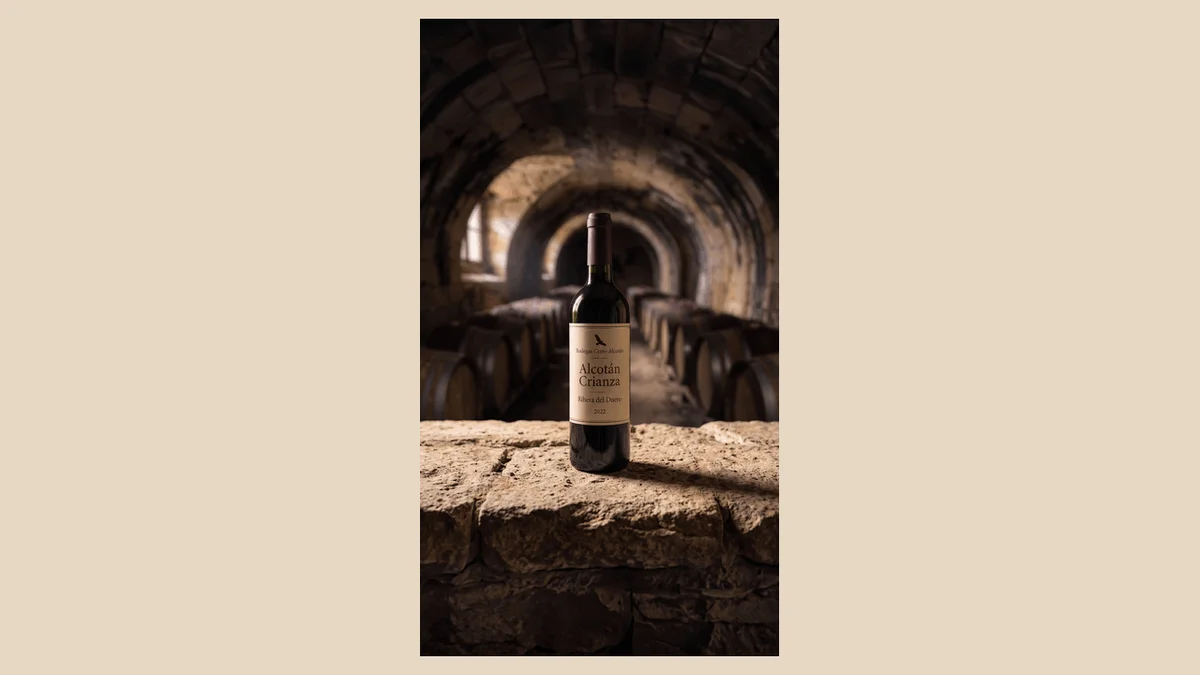
Put this wine bottle on a wooden table
on a Madrid terrace at sunset, with
two glasses of red wine poured and
warm light. Keep the bottle and the
label exactly the same.
Vertical 4:5 format.
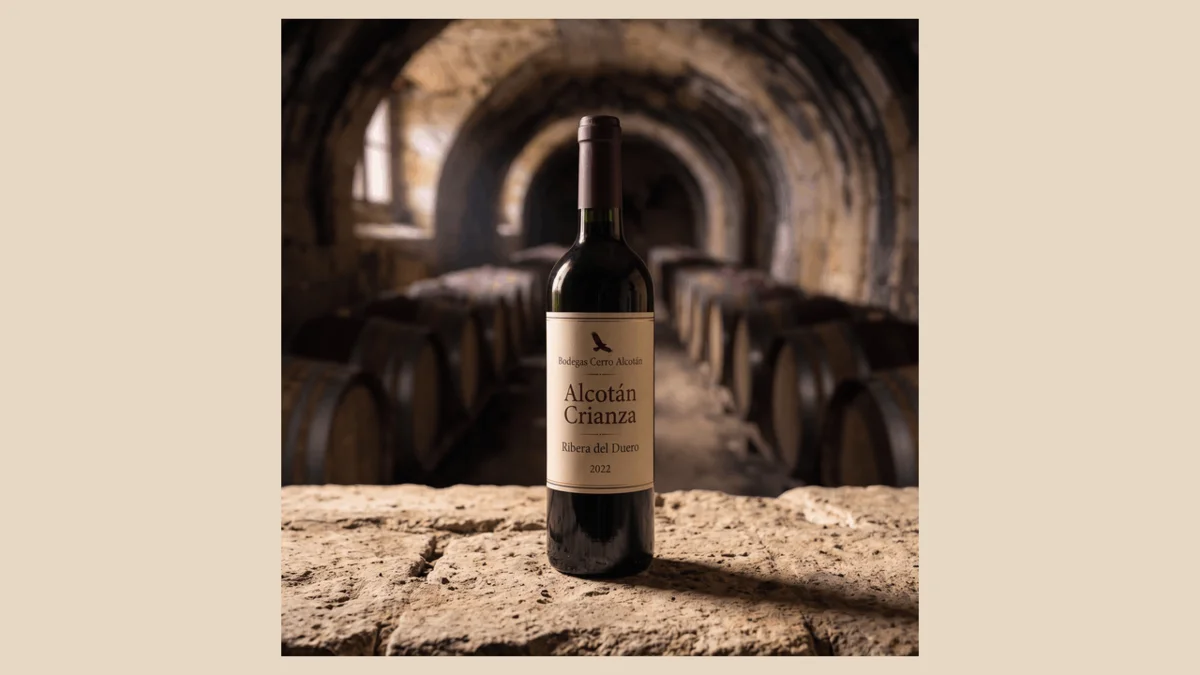
The label comes out identical
First try, in plain Gemini. Bodegas Cerro Alcotán is a made-up client for the workshops.
How to ask for it in Gemini
gemini.google.com · upload the photo + type
Tap + and upload the product photo.
Describe the scene: where, what light, what else is in it.
Say what stays as is: "keep the label exactly the same".
Fix it by talking: "more light", "remove the people in the background".
Turn this photo into an Instagram
story (9:16) for the bar El Sifón.
At the top, in big vintage-poster
letters: "VERMUT DE LOS DOMINGOS".
Below, smaller: "DE 12:00 A 15:00".
Keep the glass and the tapa as they are.
The letters, spelled right
A year ago the text came out with typos. Today ChatGPT nails it, accents and all, in Spanish too; still, check every word before you post.
Editing: before and after
→Add a glass
→Remove the background
→Extend the frame
→Raise the resolution
New option:PhotoCraft, by ArtCraft. Free and open source, with the usual menus and shortcuts. It opens PSD files and runs from a CLI, so an agent can use it. Still in alpha.
Style and composition
→Style: from photo to poster
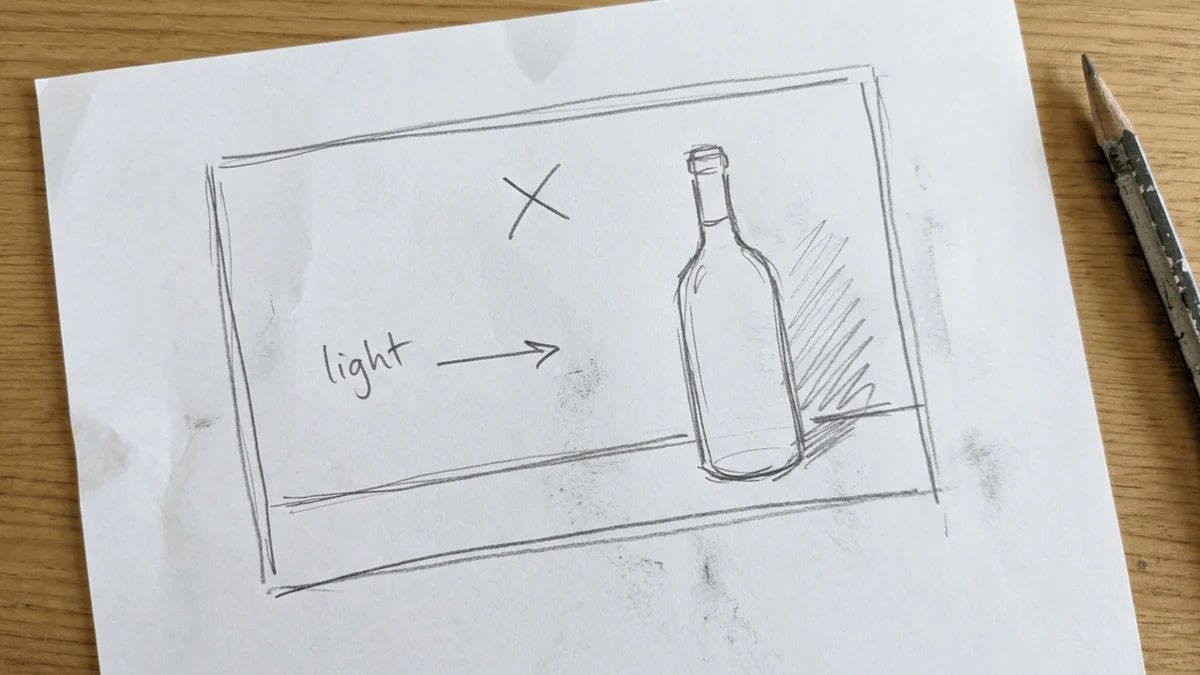
→Composition: from sketch to photo
A sketch on a napkin already works as a reference: the model keeps everything where you put it.
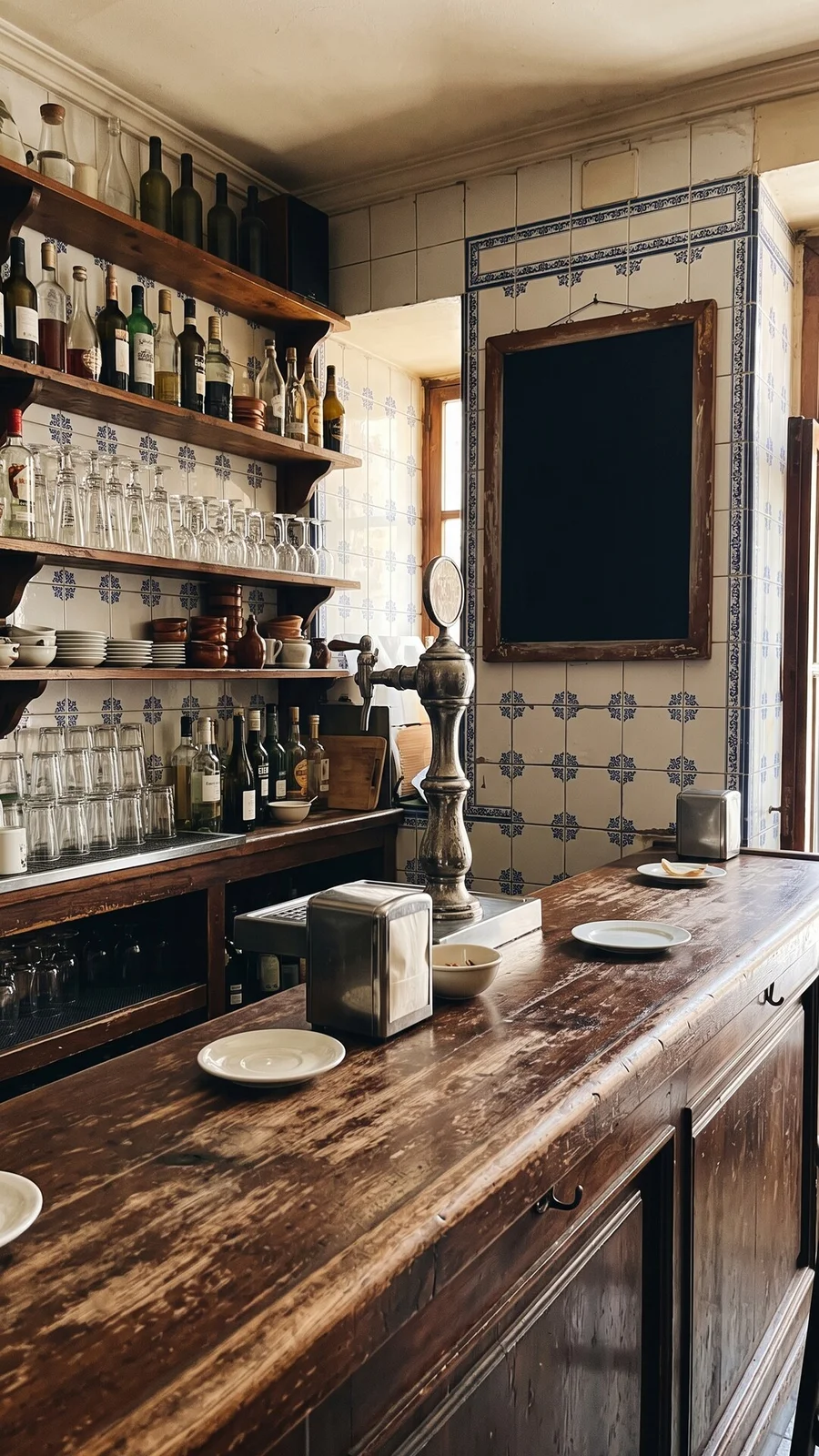
How it was made (1/3): the bar photo, on the third try
📝 The prompt · Nano Banana 2.1
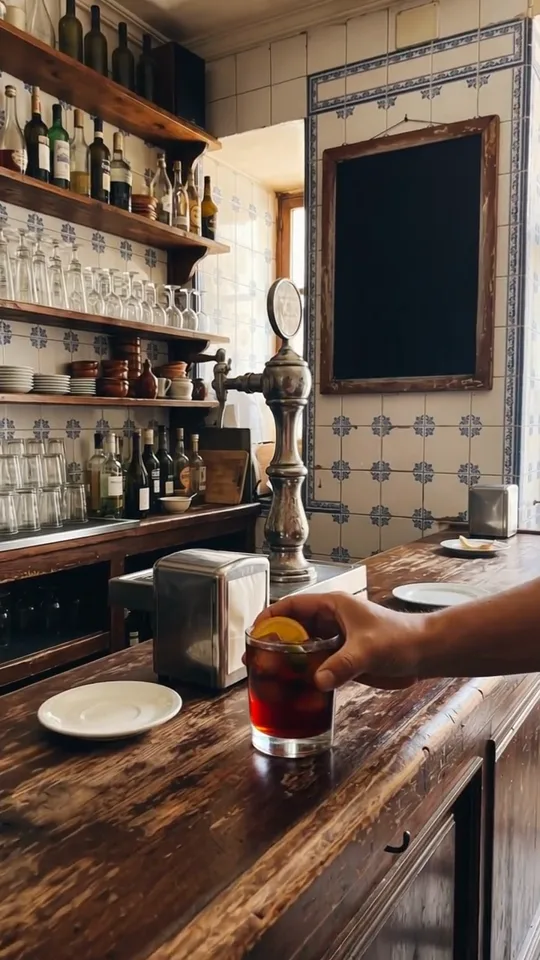
A realistic photo of a small traditional tapas bar in La Latina, Madrid, on a Sunday at noon. Long wooden bar in the foreground, white and blue tiled wall behind, a vermouth tap and a few bottles on a shelf, a blank chalkboard, warm sunlight coming in through the window. No people. Shot on a phone, vertical 9:16, natural colours, slightly imperfect framing. No text, no logos.
❌
Try 1. Letters on the tap's plate, and we had asked for "no text".
❌
Try 2. Nice, but a different bar: it didn't match the video shots.
✅
Try 3. One tap, blank chalkboard, clear bar. This one.
🎯 It usually doesn't work the first time. That's not your fault: that's how it works.
How it was made (2/3): the video, first try… almost
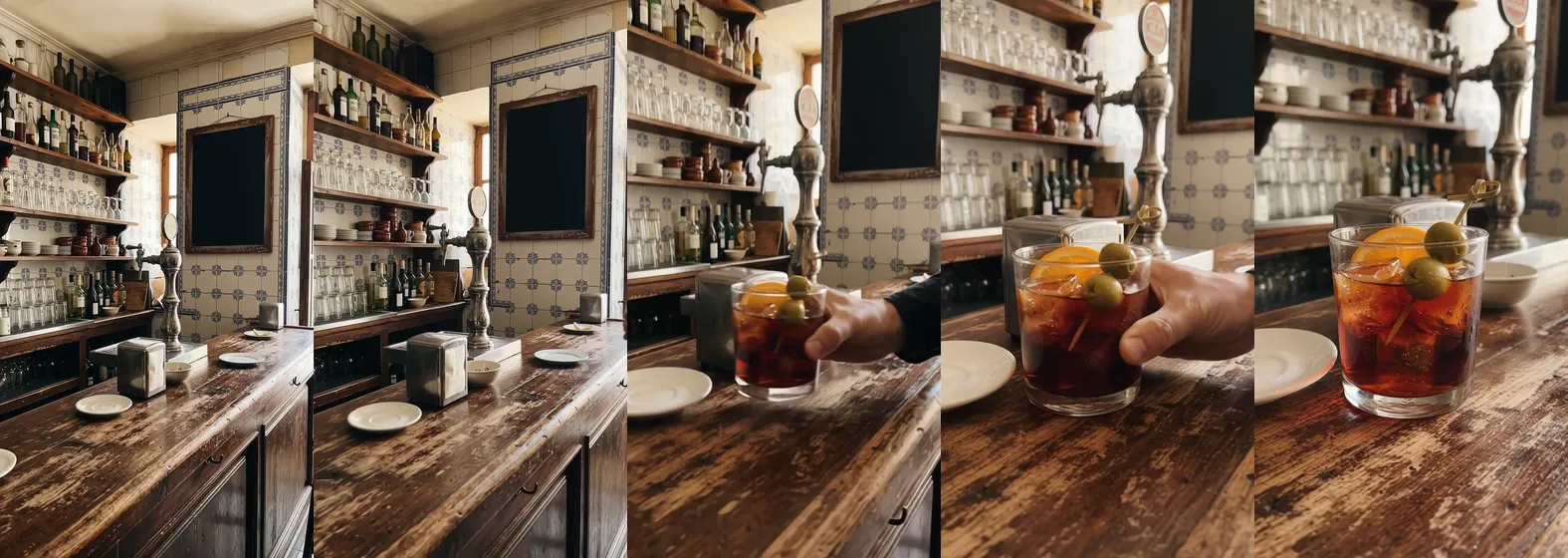
What the agent sees: one frame per second (0 · 1 · 2 · 3 · 5 s)
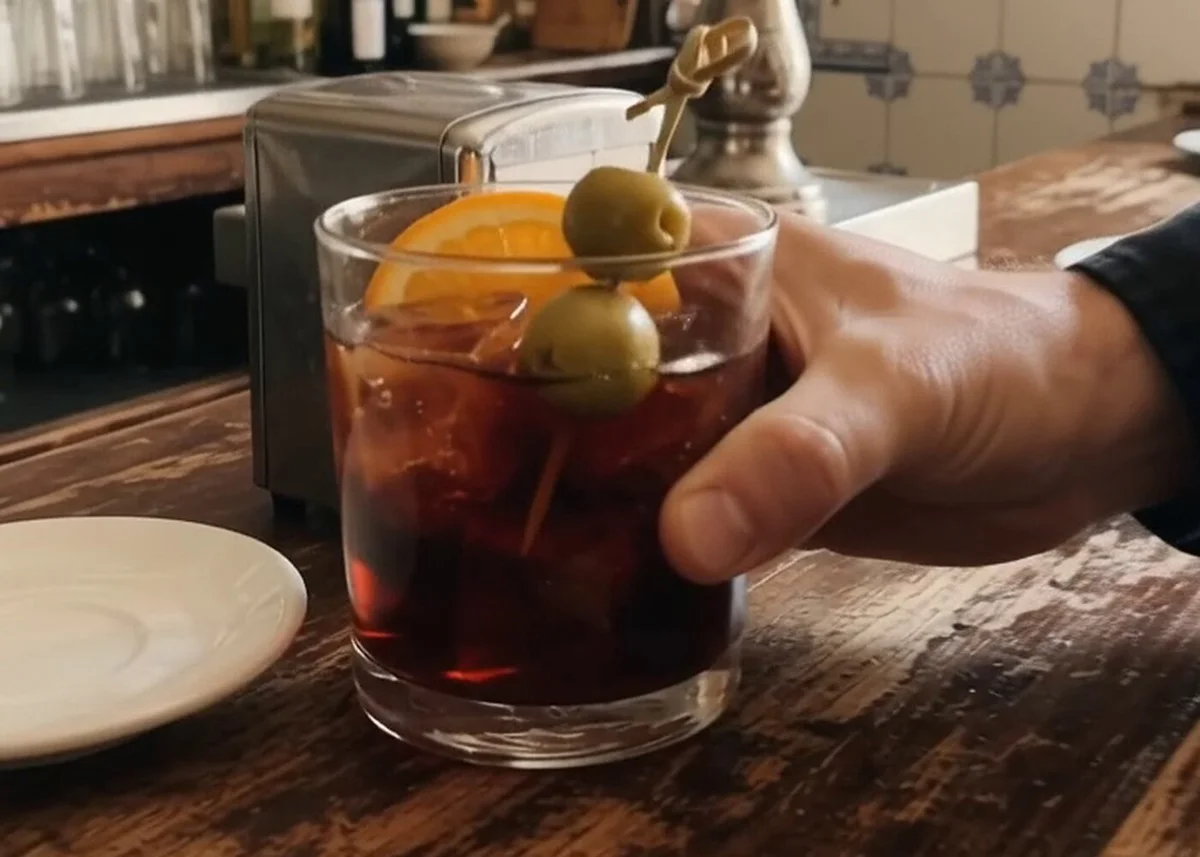
🎬 The prompt · Omni Flash 1.2, image to video, with the bar photoSlow push-in towards the bar. A bartender's hand sets a glass of red vermouth with an orange slice and a green olive on the bar, with the clink of ice. Warm Sunday noon light… No text, no logos, no close-ups of faces.
The flaw. From second 2 the tap's plate fills up with made-up letters. We kept it: on the slide you can barely see it.
The one that didn't work. We wanted a clip with a sign full of garbled letters, to show the error. Three tries (two with Omni, one with Kling) and the chalkboard stayed blank. When you go looking for the flaw, it doesn't show up either.
The other 4 videos (B-roll, 1950s, first and last frame, Kling) worked on the first try.
How it was made (3/3): how we briefed the agent
📝01 · THE BRIEF
A list
Which shots, with which prompt (the ones from the notebook, not a comma changed), 9:16, 5 s. Spending cap: $10.
🎲02 · GENERATE
Through an API
The agent calls fal: Nano Banana for the photos, Omni Flash for the videos, Kling to compare. Several at once.
👀03 · LOOK
Frame by frame
The agent can't watch a video. It pulls frames with ffmpeg and looks at the sheet the way you'd look at a contact sheet.
🚫04 · DISCARD
With rules
Out if there are letters or logos, close-up faces, melted hands or glasses, or the bar changes between shots. 3 tries max.
📋05 · REPORT
No sugar-coating
What worked, what didn't and why, what changed (Runway isn't on fal: it used Omni) and what it cost.
20 minstart to finish
10 + 10photos and videos generated
~$2–3at list price
1shot that didn't work
The real thing isn't "ask and done". It's ask, look, discard and repeat. If you get it on the third try, you're doing it right.
Editing video is now a conversation.
On Twitter they call it vibe editing. Anthropic cut a whole launch video from Claude Code: Whisper to transcribe, ffmpeg to cut, Remotion for the animations.
A restaurant reel, ordered by chat
00:01 Sunday vermouth 00:03 uh… like… 00:05 at El Sifón, in 00:07 La Latina, from 00:08 noon to four. 00:10 …okay, again
Editor and motion graphics with the usual interface, built for agents.
🔌 CLI and MCPfree, open source
🔌 With MCP: your agent runs the editor from outside, along with your other tools (Canva, Metricool, ElevenLabs…). ·Without MCP: the editor has its own assistant, which only works inside that app.
What about After Effects? Adobe announced an official MCP for Photoshop, Premiere and After Effects, coming in early 2027. Today there are free community MCPs, like after-effects-mcp or adb-mcp. They aren't Adobe's, so try them on a copy of the project.
A video can also be code.
No camera and no video generator. A coding agent (Claude Code, Codex…) writes the animation like a web page that moves, the computer records it frame by frame and ffmpeg joins it into an MP4. It's been all over Twitter these past months.
Two pieces made only with code
Story · El Sifón · 8 s
Animated report · Bodegas Cerro Alcotán · 8 s
Change the data, get this month's video
The report reads six numbers. Next month you change them and render again: same design, zero hours in After Effects.
How it's made
You ask your coding agent (we used Claude Code), with our js-motion-video skill, which only draws with code:
Use the js-motion-video skill: all
code, no generative AI. A 9:16 story,
8 s, for El Sifón: "Sunday vermouth",
"From 12:00 to 15:00", warm palette,
vintage.
The agent writes the code for the animation and shows you single frames.
You fix it by talking: "the headline runs off", "make the glass bigger".
Render: Chrome draws each frame and ffmpeg makes the MP4.
ElevenLabs Free has no commercial licence. For client or brand work, Starter at least; instant cloning starts there.
Someone else's voice? Get written consent
And since 2 August 2026 the EU AI Act requires you to say when a realistic video, voice or image is AI.
ElevenLabs
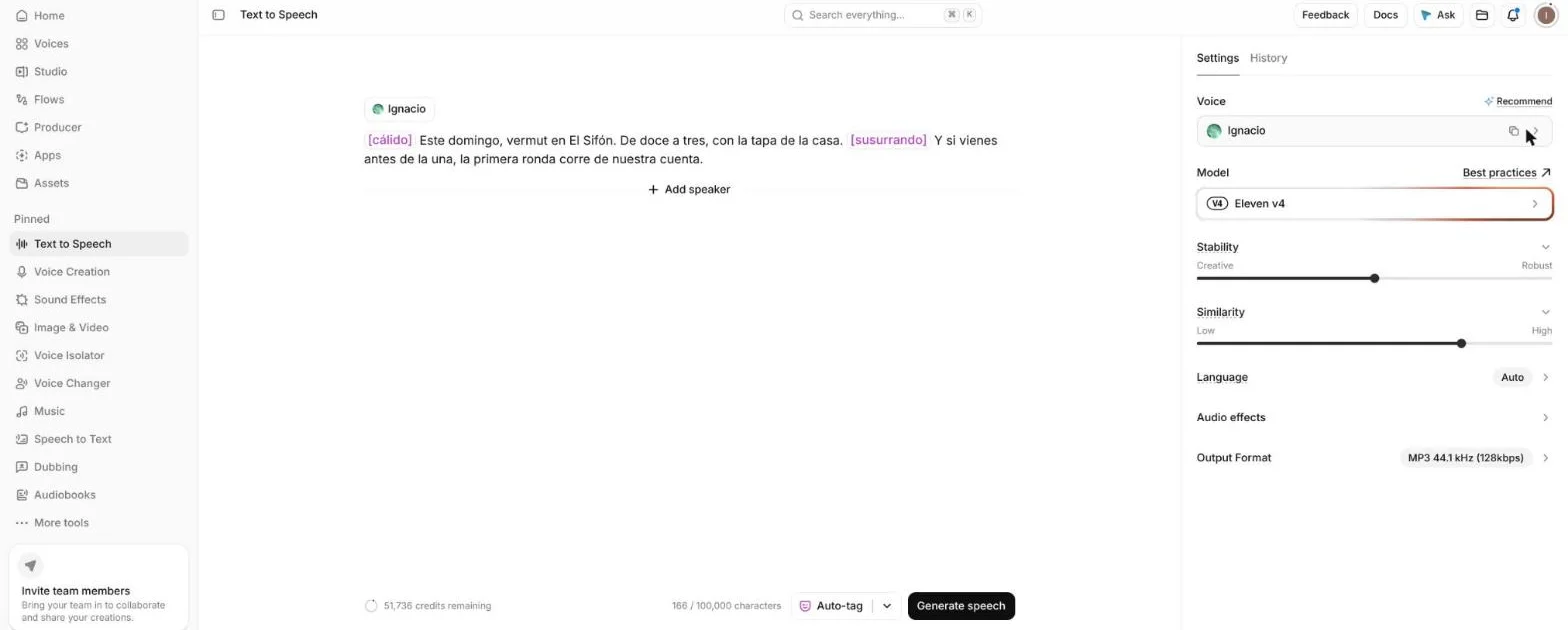
elevenlabs.io · Text to Speech · tags like [warm] or [whispering] set the tone
Write the script
In square brackets, how to say it: [warm], [whispering], [laughs].
Pick the voice
From the library, or a cloned voice: here, the presenter's.
Generate speech
In seconds you have the voiceover. From the menu, dubbing and subtitles too.
All together: a whole reel, directed from one chat
🔌
01
Connect
Once: the Higgsfield and ElevenLabs MCPs, and the video skill.
🎬
02
Make the clips
The agent orders the shots from the client's photos.
🎙️
03
Add the voice
Writes the script and makes the voiceover in the brand's voice.
✂️
04
Edit and subtitle
Cuts, orders, adds music, subtitles and animated titles.
📱
05
Export and schedule
9:16, 1:1 and 16:9, then schedules it in Metricool.
ffmpeg
⏸️ Stops at every step
Shows you the clips, the script and the first cut before going on. Nothing goes out without your "yes".
💶 You pay for what's generated
Clips and voice use credits; editing, subtitles and export are free and run on your computer.
👀 You bring the judgement
Pick the photo, approve the script, say "shorter". The agent coordinates the rest.
How to ask for it
Make me a 15 s reel for El Sifón with
the 3 photos in ~/clients/el-sifon/.

1. With Higgsfield, a 5 s clip per photo:
   the camera moves in on the bar.
2. A 2-sentence script and voiceover with
   the "Sifón warm" ElevenLabs voice.
3. Cut the clips to the voice, English
   subtitles and the logo at the end.
4. Export 9:16 and 1:1.

Stop and show me after each step.
01 · the camera moves in on the bar
🔌 Connect it, once
ElevenLabs and Higgsfield are added as MCPs to your agent. In Claude Code, for example, one line:
claude mcp add --transport http \
  elevenlabs https://api.elevenlabs.io/v1/mcp
🧩 Or a skill that remembers it
If the reel comes back every month, save the steps as a skill: next time, "the El Sifón reel for December" is enough.
07
UGC from start to finish
Study ads, create, launch the campaign and see how it performs.
Study
Create
Launch
Measure
The full cycle of a UGC ad
01StudyWhich competitor ads have been running the longest.
02WriteHooks and scripts based on what works.
03CreateAI actor, product in hand, B-roll, subtitles.
04LaunchThe campaign goes up to Meta, paused.
05MeasureWhat works, then start again.
What the agent does
Search, summarise, make variants, upload, pull the numbers.
What you do
The idea, a review before launch and the budget call. Sometimes, just the last one.
The recipe that went viral
Pull competitor ads from the Meta Ad Library (with Apify).
Report on the ones running longest: they're almost always the ones that work.
Rewrite the scripts for your brand or your client's.
 Team · memory
 GitHub


 Veoin Flow, with sound
 Klingrealistic motion
 Seedanceby ByteDance
 Runwayedit footage
 ElevenLabsvoice and dubbing














 Higgsfield


 Wan
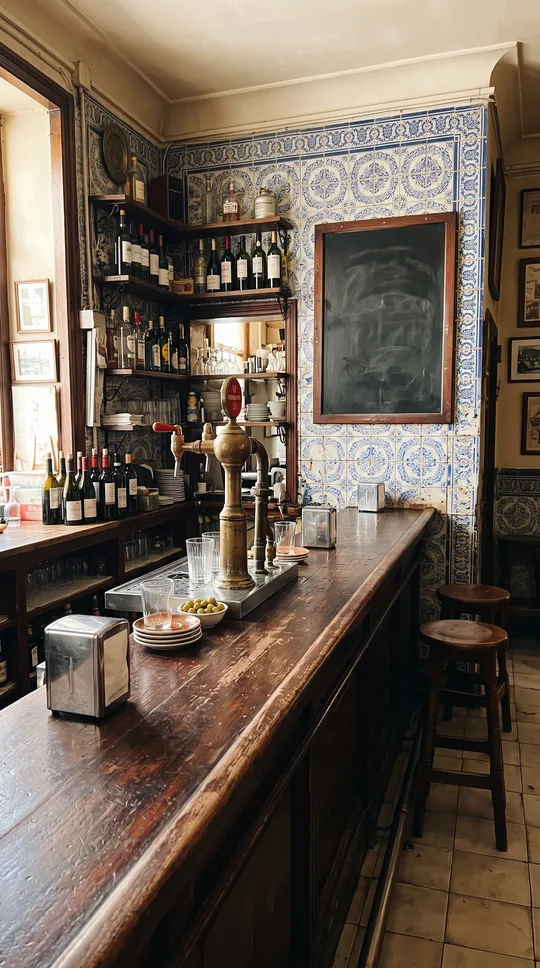 ❌
 ❌
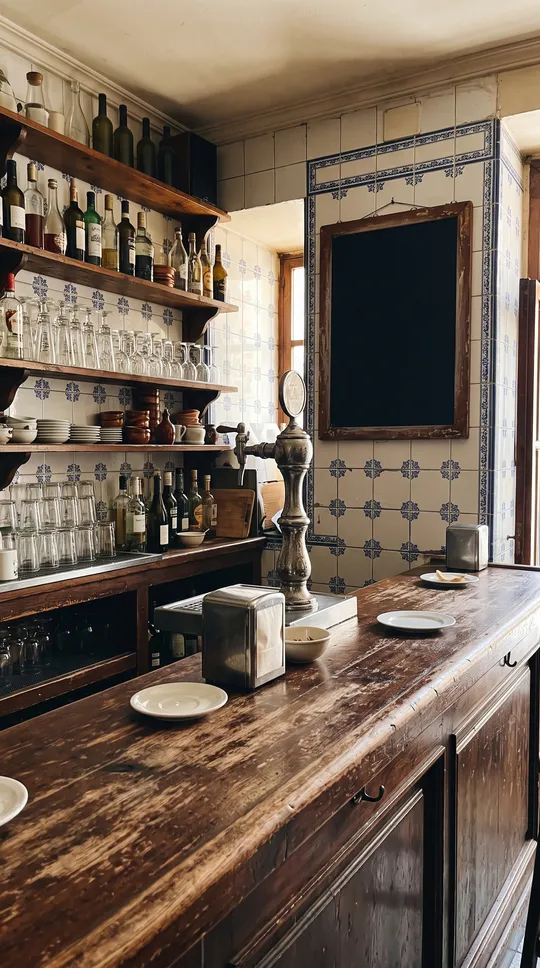 ✅

 ✅
 ❌